Shopify Platform Guides
Shopify or WooCommerce? A decision framework for growing stores
A practical framework for choosing between Shopify and WooCommerce based on operations, content, integrations and the team that has to run the store.
The Shopify versus WooCommerce debate is usually settled with opinions. Someone has had a bad experience with a plugin; someone else has been locked in by a platform limit. Neither story is a decision framework.
The useful question is not which platform is better in the abstract. It is which platform your team can operate well for the next two years — through catalog changes, campaigns, a peak season and at least one unexpected integration.
Here is how we frame the decision with clients. It starts with operations, not feature checklists.
Start with how the store actually runs
Before comparing themes or checkout settings, write down the constraints that will not change when the new website launches:
- Who maintains the site? A marketer with no developer support, an in-house developer, or an agency on retainer. The answer changes the risk profile more than any feature.
- How complex is the catalog? Simple products with a few variants are different from configurable products, wholesale price lists, bundles, subscriptions or made-to-order items.
- How much content supports the sale? A content-led brand with buying guides, editorial pages and localisation has different needs from a catalog-only store.
- What has to customize the checkout? If the answer is “nothing unusual”, stay on a hosted checkout. If it is “a lot”, be honest about the engineering and maintenance that comes with owning it.
- Which systems must stay connected? ERP, inventory, CRM, accounting, 3PL, local payment providers and marketplaces all have integration costs that outlast the launch.
These constraints belong in one page. If the team cannot agree on them, the platform decision is already premature.
Where Shopify is the stronger default
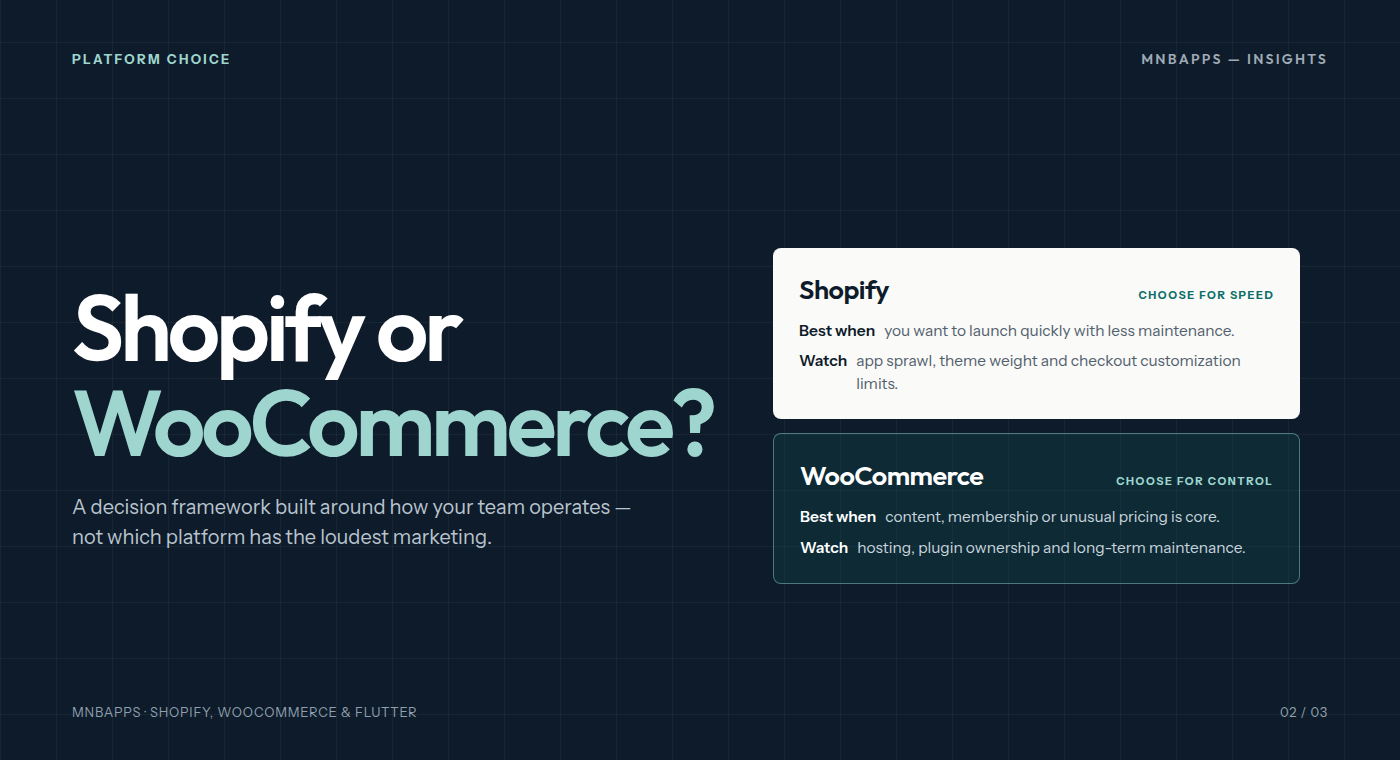
Shopify is usually the better choice when speed to market, checkout reliability and a smaller operational team matter more than deep control of the stack.
- Hosting and checkout are managed. You are not responsible for server patches, PCI scope or keeping a checkout alive during a traffic spike.
- The app ecosystem covers common needs. Reviews, email, loyalty, subscriptions, wholesale and shipping integrations are available without custom development.
- Local payment and logistics partners are well supported. For Indonesian stores, that includes the courier and payment integrations merchants actually use.
- Launch is faster. A focused team can move from catalog to a working store without building a hosting stack first.
The trade-offs are real. Theme and app performance become a discipline problem, checkout customization has limits, and subscription-style app costs can accumulate. Complex B2B pricing or unusual fulfillment may require workarounds that are harder to maintain than they first appear.
Shopify is a strong default, not an automatic answer. The default stops being sensible when the business model depends on something the platform treats as an exception.
Where WooCommerce earns its place
WooCommerce is usually the better choice when the website is already a content or membership product, or when the store needs control that a hosted platform will not give it.
- Content and commerce can share one system. Editorial, documentation, gated resources and memberships can live alongside the shop without a separate CMS integration.
- Pricing and catalog rules can be customized. Customer-specific pricing, quote requests, unusual tax rules and non-standard product relationships can be modelled directly.
- You own the stack. Hosting, data, deployment and integrations are yours to choose. That is valuable when the store is part of a larger product.
- The plugin ecosystem is broad. The same breadth is also the risk: quality and long-term maintenance vary enormously.
The trade-offs are not cosmetic. You own hosting, security updates, plugin compatibility, performance tuning and the recovery plan when an update breaks checkout. A WooCommerce store is not “free” because the software is open source. It is a system that needs an owner.
WooCommerce works best when that owner exists — in-house or through a support agreement. It works badly when a marketing team inherits a plugin stack nobody understands.
The decision matrix
| Decision area | Shopify | WooCommerce |
|---|---|---|
| Speed to launch | Strong | Depends on host and build |
| Ongoing maintenance | Low platform burden | You own updates and security |
| Content-led commerce | Good, with a separate CMS or app | Native strength |
| Unusual pricing or B2B | Possible, but can become workaround-heavy | Strong with custom development |
| Checkout customization | Limited by design | Flexible, with more responsibility |
| App and plugin risk | App performance and subscription sprawl | Plugin conflicts and abandoned code |
| Internal team fit | Marketer-friendly | Needs technical ownership |
| Migration effort | Content, URLs, apps, accounts | Content, URLs, plugins, hosting |
Do not add up the ticks. Weight the rows that match your actual constraints. A store with one technical owner and a content-heavy funnel has a different answer from a store with a two-person marketing team and a simple catalog.
Checkout is where the decision becomes real
Most platform comparisons stay on the homepage. The decision is made in checkout, returns and the third month of operations.
On Shopify, the checkout is reliable but intentionally constrained. If your requirements fit the available payment, shipping and discount primitives, that constraint is an advantage. If they do not, every workaround has to be tested again after each platform change.
On WooCommerce, almost anything can be built. The question is who will maintain it. A custom checkout rule that saves an hour a week is worthwhile. A custom checkout rule that only one former developer understands is a liability.
What migration really involves
Switching platforms is a product launch, not a plugin toggle. The visible work is the new theme. The risk sits in the less visible work:
- Mapping every URL and redirecting the old ones without losing search equity.
- Rebuilding product data, variants, metafields and collections in the new model.
- Migrating customers, order history, subscriptions and stored payment methods where the platform allows it.
- Recreating email flows, analytics events, consent behavior and ad tracking.
- Retesting every integration with real orders, refunds and cancellations.
Do not migrate because one feature is missing. Migrate when the current platform’s operating model is consistently fighting the business — and when the team has the capacity to run the new one.
A 60-minute decision workshop
If you are choosing between the two, book one session and answer these questions in writing:
- What are the three things the store must do exceptionally well?
- Which of those are checkout, catalog or content problems?
- Who will own updates, integrations and incident response after launch?
- Which integrations are non-negotiable, and who has tested them?
- What would make us revisit the decision in twelve months?
The last question matters. A platform decision is a bet about the next stage of the business, not a permanent identity. Write down the assumptions so you can tell when they have changed.
We build on both Shopify and WooCommerce. If you are deciding between them, send us the constraints you are working with and we will tell you which platform we would choose — including when the answer is to stay where you are. You can also see how we scope store and theme work.